


Connected rooms
The connected rooms module allows you to create links between the rooms and spaces you have set up. You will find these links particularly useful when you wish to offer both the entire property and individual flats for rent. The link between rooms ensures that, if the entire property is booked, the individual flats will be blocked off; conversely, if someone books just one of the flats, the option to book the entire property will no longer be available.
Similarly, this feature can also be used, for example, for hostel operations, i.e. selling beds individually.
Setting up connection between room types
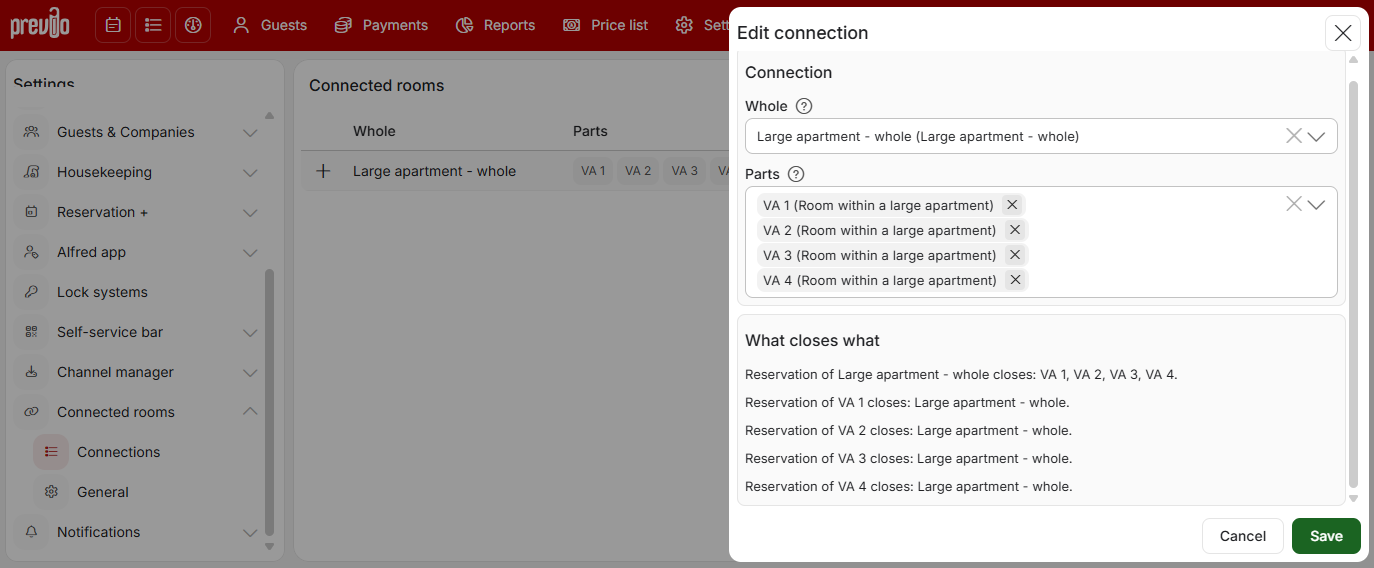
The setup is very straightforward. Click on ‘New connection’ and then simply select which room is the ‘entire property’ and which rooms are its ‘parts’. At the bottom, there will be a text explanation of how the individual rooms will interact with one another in the event of a reservation.
You may need to make some minor adjustments to your room types to use this feature (for example, you may have been selling the property by individual flats, but haven’t created an ‘entire property’ room type). Let’s take a quick look at a sample setup:
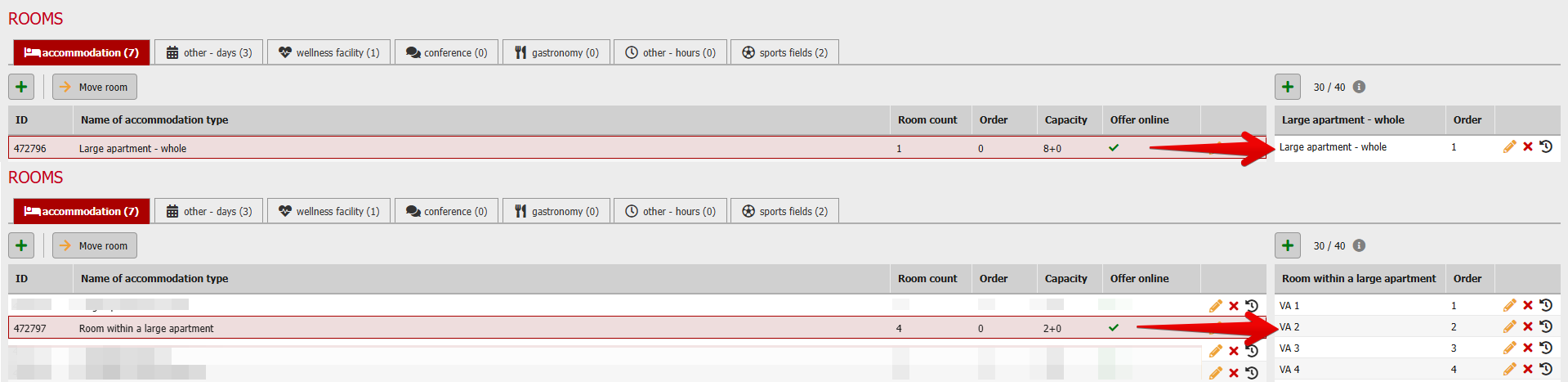
Room type “Large flat – whole” > contains only one room with a capacity of 8 people. The guest books the whole property / cottage / hostel room for a maximum of 8 people.
Room type “Room within a large apartment” > this type contains 4 specific flats, each of which has two beds.
As both the individual components and the whole are now set up as room types, this means that a price list, restrictions, photo gallery, description, etc. must be set up for them, so that it is clear when and under what conditions the whole or its components can be booked.
Automatic booking closure based on a reservation
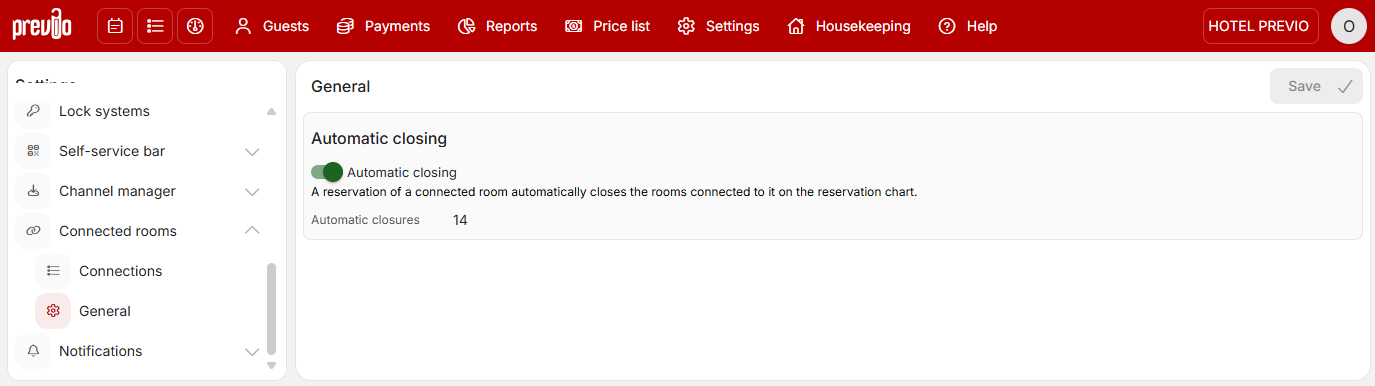
The general settings for linked rooms also include automatic room closure. The logic is simple and has already been described above – if I book the whole unit, it is not possible to book the parts. If I book one or more parts, I cannot book the whole unit.
If, for any reason, you wish to close rooms manually, you can deactivate this function.
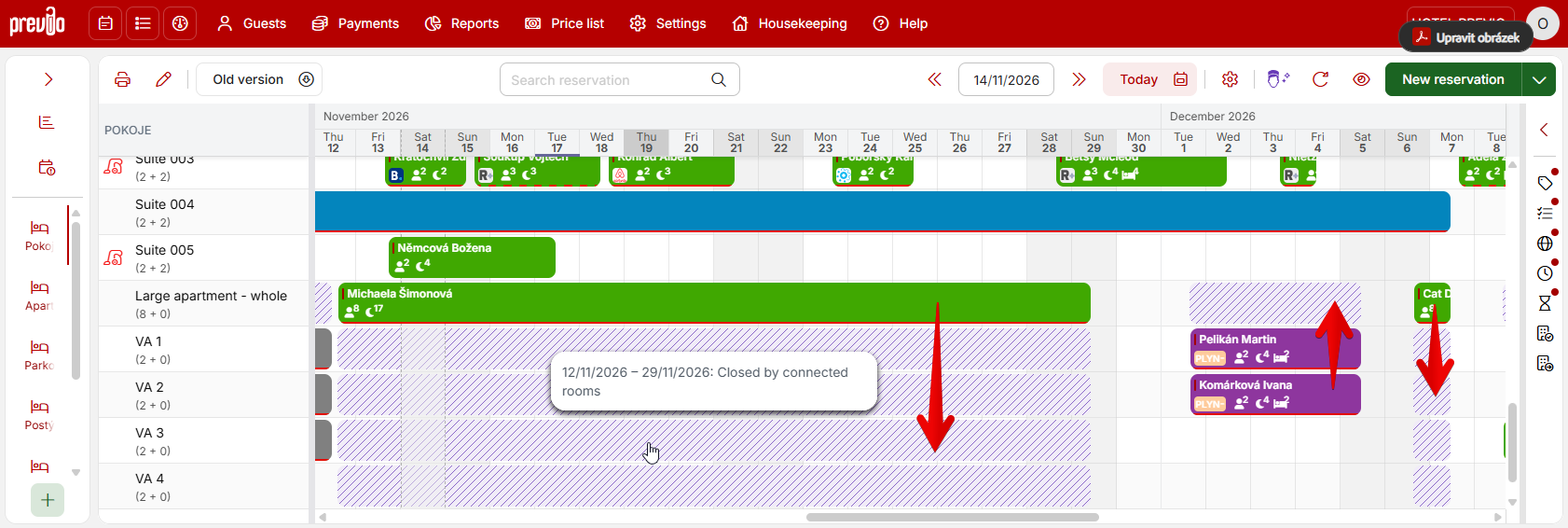
Everything works automatically in the bookings panel; see below. A colour-diffentiated block (sales closure) is automatically created for rooms that can no longer be booked, whether you create the initial booking manually or it comes in from R+ or a channel manager.
Important information
Please bear in mind that if you amend room types to use this feature, you will need to reconfigure the aforementioned settings (such as prices, photo galleries, etc.) in Previo; and if you also offer the entire property and individual apartments on international booking platforms via a channel manager, you may need to adjust the mapping (e.g. link certain rooms together).