


Connection set-up
How to set up channel manager connection?
* If you are switching from another connection provider to Previo, please follow the manual here
* If you are setting up a new connection, follow the steps below:
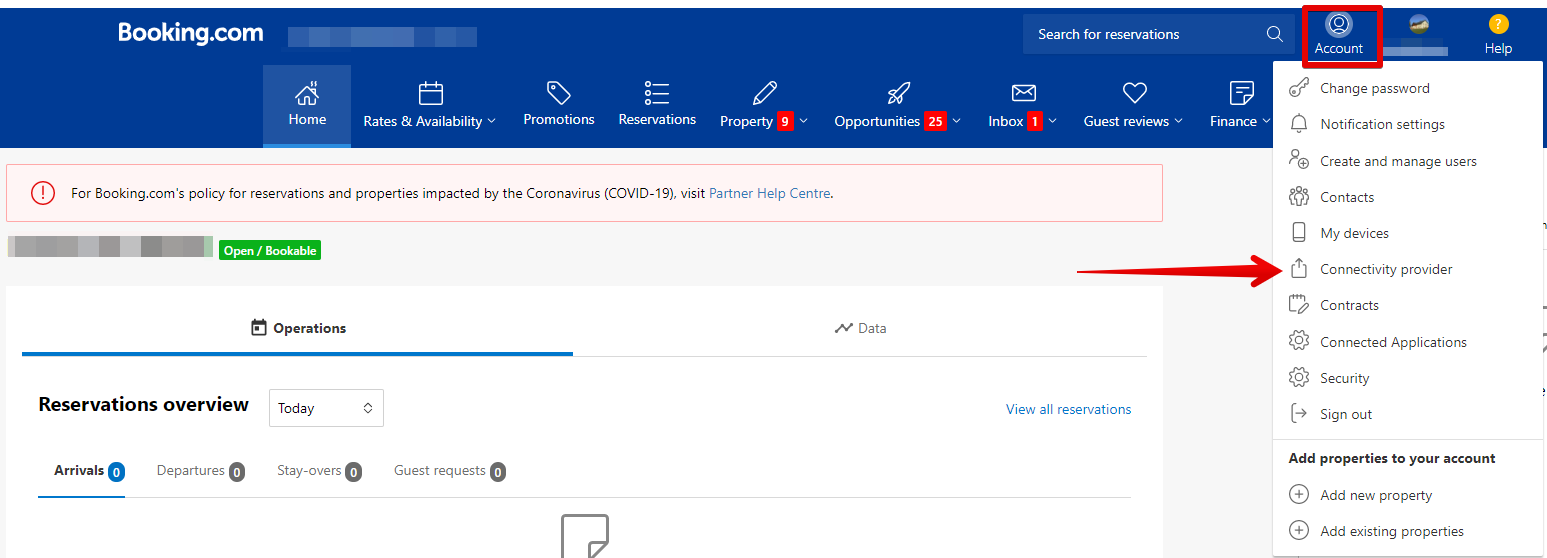
First sign in to Booking.com extranet, choose Account and select Connectivity provider setting:
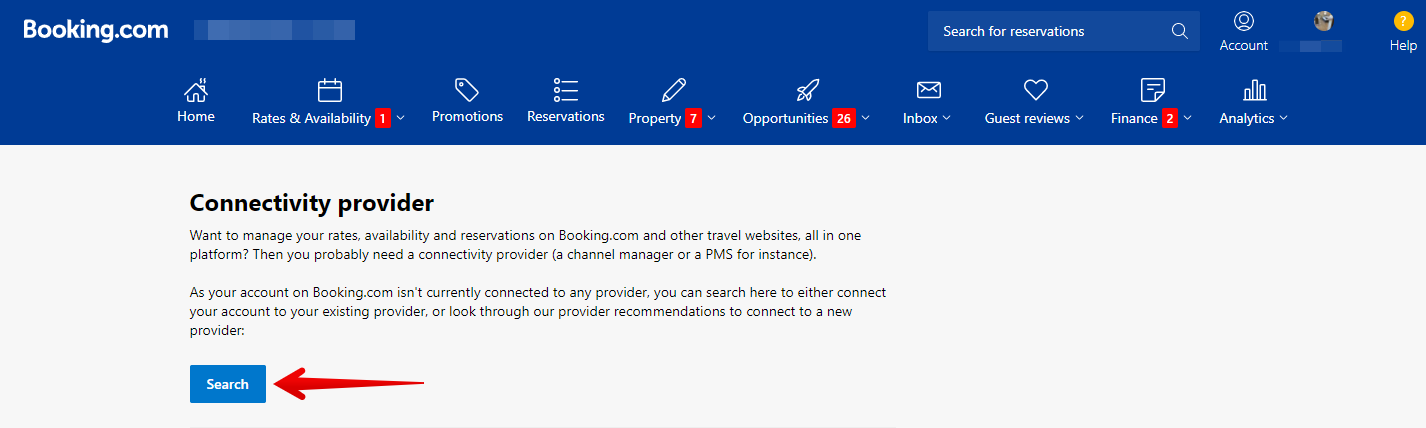
Confirm search for connectivity provider:
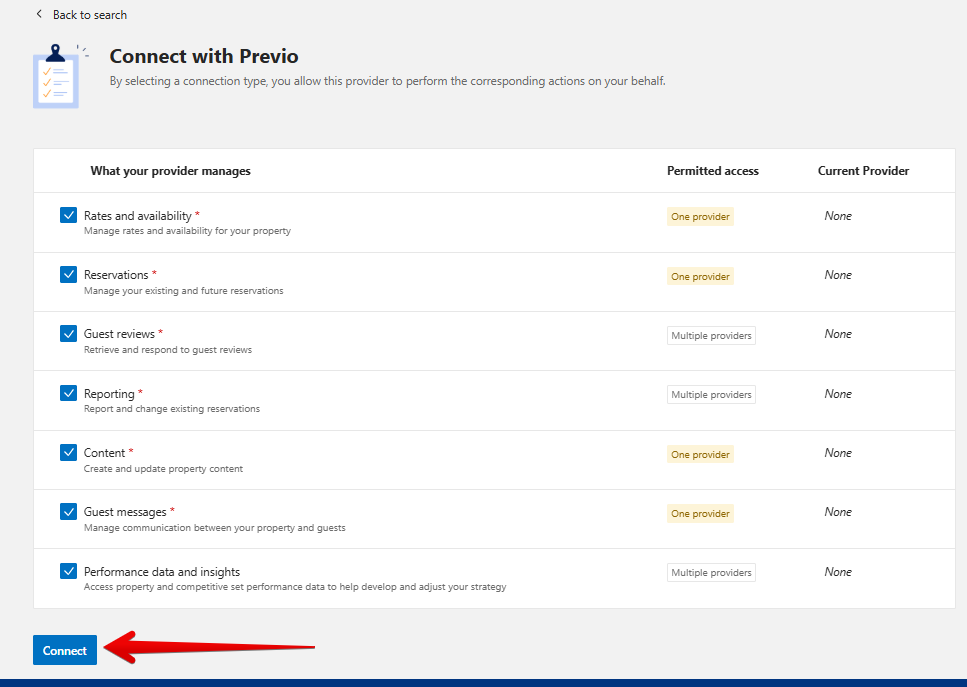
Search for Previo channel manager and confirm your selection:

In the next step, please leave all of the listed options selected and click on “Connect”.
If, at the bottom of this step (below the list of items managed by your provider), you see the option “Allow access to the extranet“, please make sure it is checked.
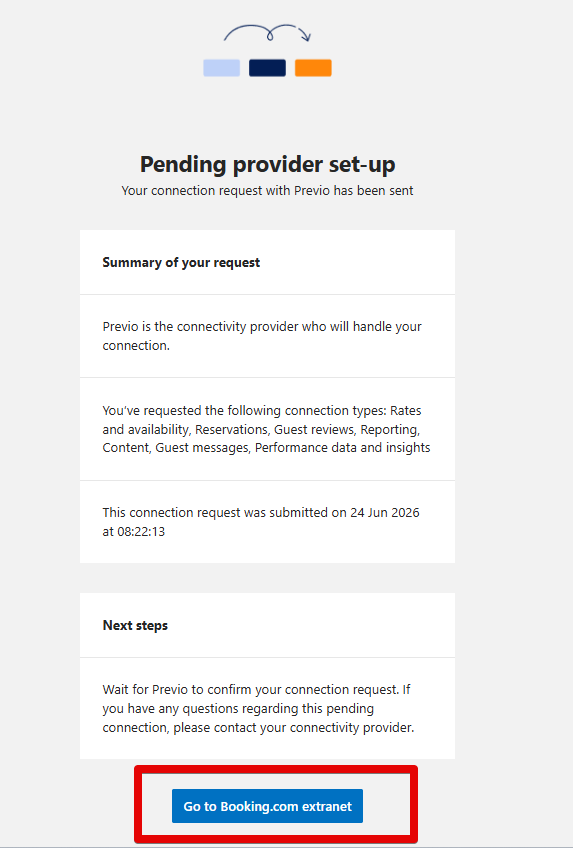
If it was not possible to enable extranet access in the previous step, please complete the setup by enabling it in this final step:
Please select the option “Go to the Booking.com Extranet”:
Please check the “Extranet Access” box. The setting will be saved automatically.
Granting us access to the Extranet allows us to resolve potential issues or discrepancies more quickly and efficiently.
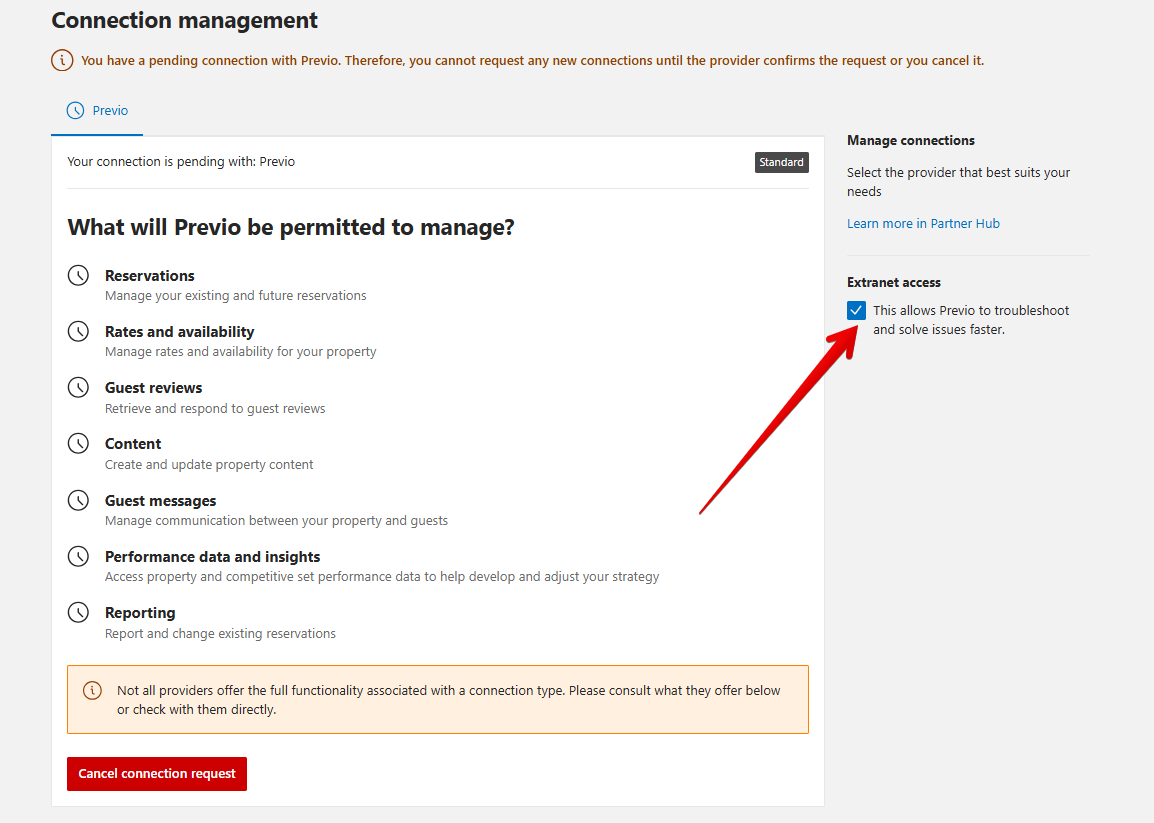
And finally the connection is prepared from your side. Now it is our turn.
From this point on you will not receive any emails regarding reservations from Booking.com. After we will finalize and activate the connection with our system you will start receiving email about new reservations / changes / cancellations from us and not from B.com.
When the connection is ready we can download rooms and rates from Booking and start with mapping (connecting). After everything is done, we need to confirm XML once again and then you to confirm it again for the last time (we will call you when this will be required).
Finally the connection is set live and we will ask you to check if the prices and availability are being send correctly.
When the connection is initiated, we automatically download active reservations that were created before the integration. These reservations contain only basic information and do not include the guest’s contact details. Additionally, Booking.com does not provide credit card details or payment information for these bookings.
If you have already entered reservations manually in Previo, we recommend replacing them with the original, automatically downloaded reservations. This ensures they remain linked to automatic updates made by the channel manager, including cancellations.
If you are having some issues with establishing XML connection contact us at chm@previo.cz. We would gladly help you.
Contact Booking.com: Tel:+420 221 475 710, by e-mail message via extranet