


Communication P2
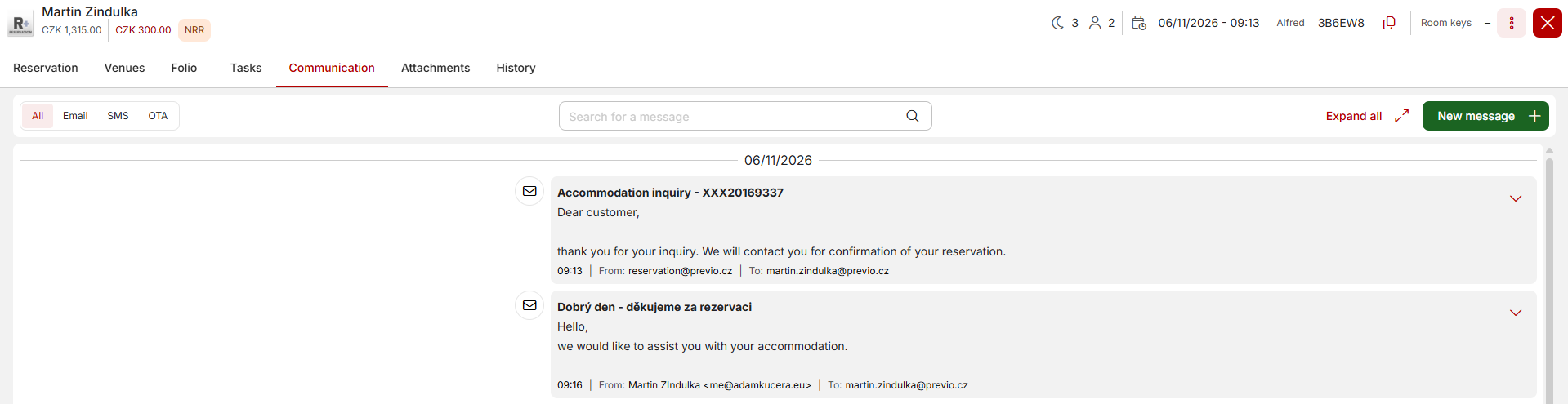
In this tab, you’ll find a complete summary of your communication with the guest. Specifically, the following will be listed here:
- Emails – email campaigns + automated emails (e.g., after a reservation is made, an online payment is processed, etc.), manually sent emails (sending a receipt, manually sending a check-in request, etc.)
- SMS – automated SMS messages from Alfred (check-in, lock PIN, prompt to complete check-in, etc.) and manually sent SMS messages
- OTA communication – messages sent by the guest via chat on Booking.com/Airbnb and your replies sent via Previo
- WhatsApp communication (coming soon)
Sending a Direct Message via Email/SMS
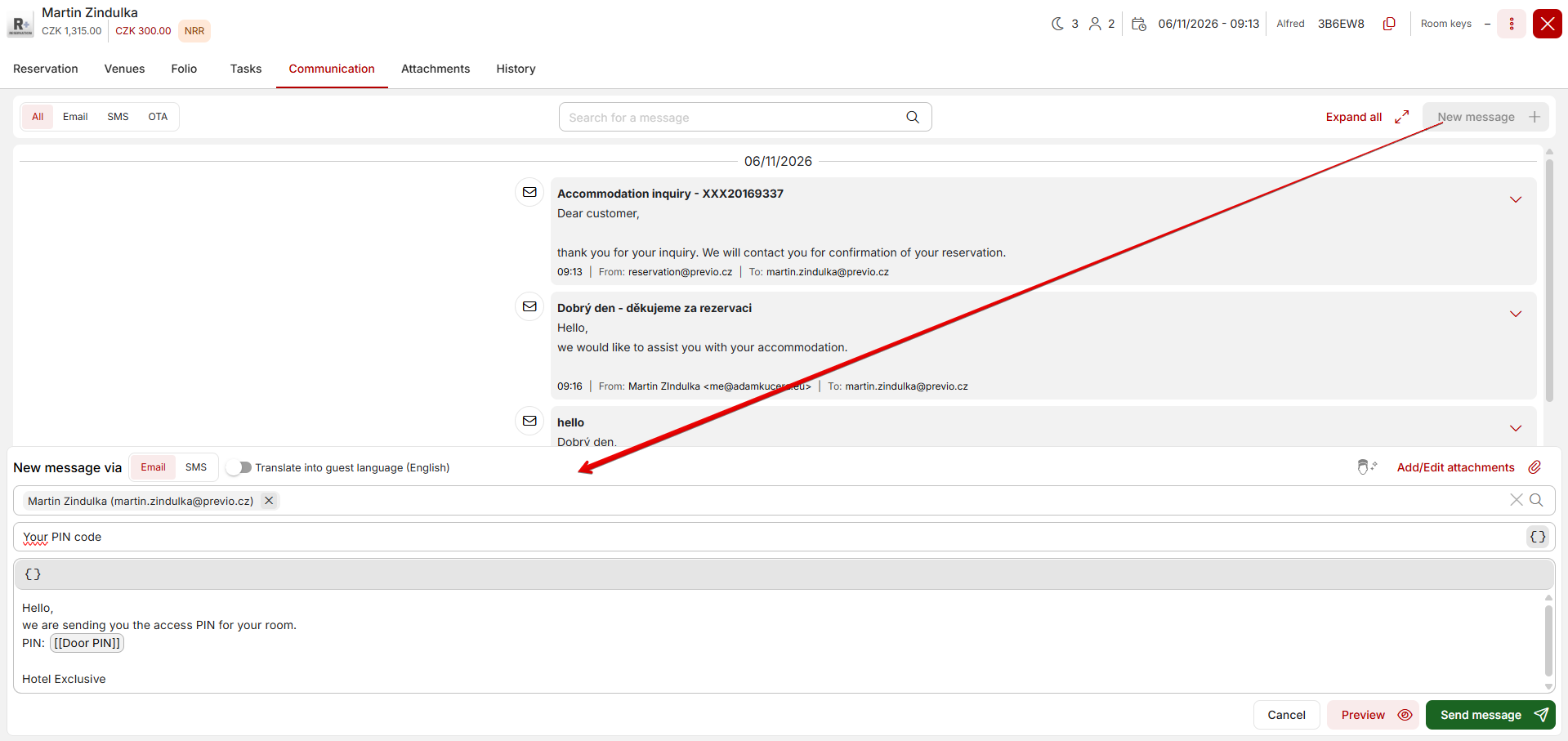
After clicking the New Message+ button in the upper-right corner of the window, you can send an email or SMS message directly from this tab to guests in the reservation. When you click it, a window with the text of the email or SMS message will appear at the bottom of the screen. You can switch between the different message types using the + button.
Variables in Email Texts
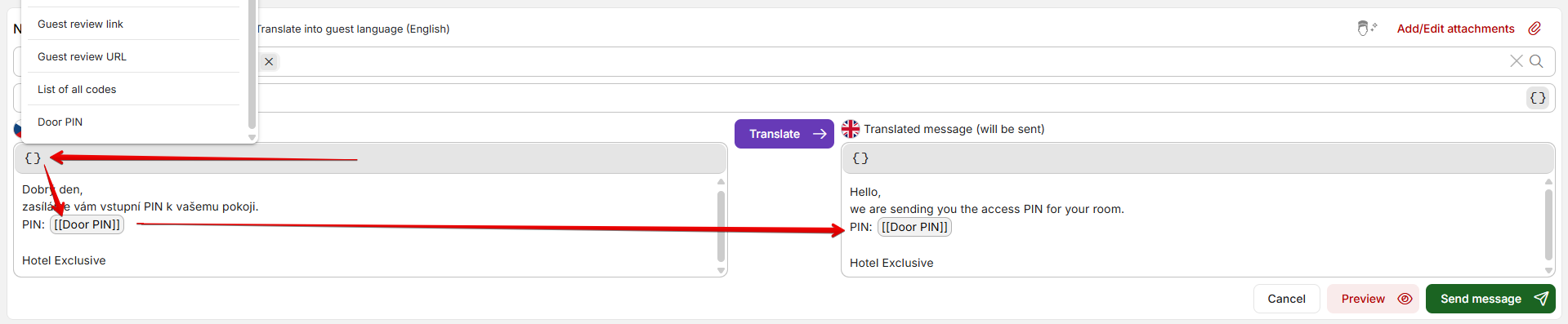
You can also use variables related to a specific reservation in emails and SMS messages. These variables will be replaced with specific information in the final text—for example, the reservation dates, a link to the Alfred app, or a room PIN. There are many variables available, and they should include all the information you might want to convey to a guest.
Automatic Translations in Emails/SMS
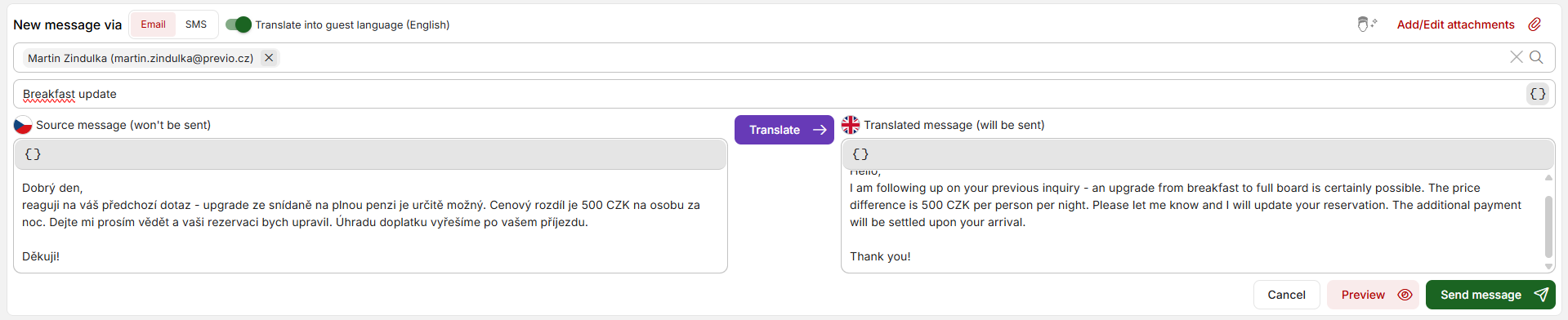
You can also use AI translations for your messages to guests. For the message type, check the box indicating that you want to translate the message into the guest’s language, and the text editor will split into two sections. In the left section, you can enter text in Czech and then have it translated using the purple button in the middle. The resulting text in the guest’s language will appear in the right pane, and you can edit it (if necessary) to make further changes or add/correct any information.
If you use variables in the source message (see above), these variables will also be included in the translated message.
—-
Communication is currently one-way, meaning you’ll still receive guests’ replies directly in your email inbox rather than directly in the “Communication” tab in Previa. In the future, however, we’d like to explore integrating with email and downloading messages into Previa.