Long term + First / Last minute discounts
Long-term stay
Long-term stay discount will give your guests discount / surcharge based on the lenght of their stay. New discount can be added using button with green plus icon.
In general all you need to set is for which reservations discount will be applied. Settings can be of course more specific – you can set discount restrictions for certain rooms, rate plans or dates.
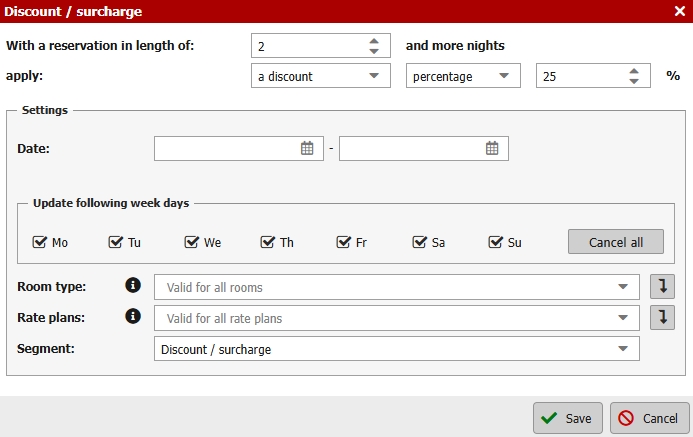
You can also set 1 night stay surcharge.
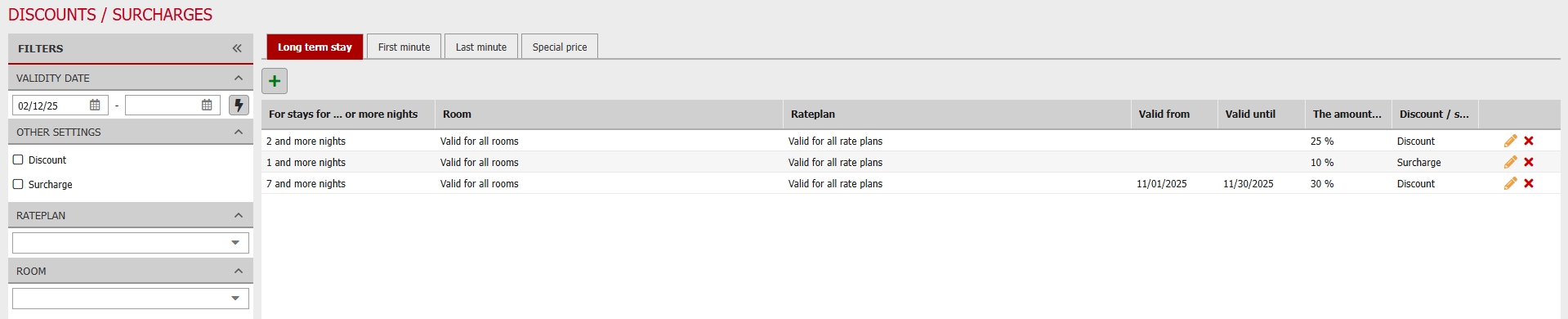
In this case
- 1 nights stay -> 10% surcharge
- 2 – or more nights stay -> 25% discount
- stay for 7 or more nights -> 30% discount (only during November)
First/Last minute
Discount or surcharge condtions for last minute reservations are set in hours. First minute is set for days.
Condition works with “equal or less/more”. For example First minute discount might be set for “10 days prior to arrival. Today is the fifth day of month. For reservations with arrival date from 15th first minute discount/surcharge will be applied.
The entire setting is very similar to long-term stay discounts. It is also possible to set rooms, rate plans and dates when the discount will be applied.
Discount calculation and combination of discounts
Calculation and all possible combinations of discounts is quite difficult topic. Therefore we have prepared several examples of discount calculation in more complicated situations.
Setting the Mandatory Surcharge
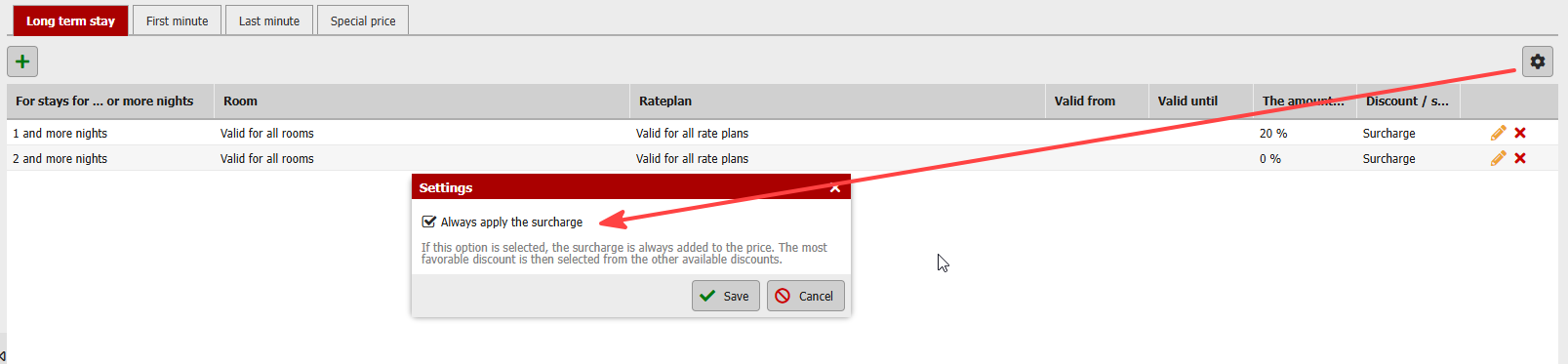
For each individual discount type (LT, FM, LM), you can also configure the system so that the “surcharge” is automatically included in the reservation price even if, for example, a different discount type applies to that reservation. In other words, if I have, for example, a surcharge for one night, but the reservation also meets the conditions for a last-minute discount, both the surcharge for one night and the last-minute discount will be applied.