


Automatic tasks
The creation of tasks and their assignment to specific individuals can also be fully automated using Automatic tasks module.
Imagine that a client orders a specific service through during the booking process or using the Alfred during their stay, which requires some preparation. This module ensures that a corresponding task is created and assigned to a specific person, and based on the date and nature of the ordered service, it automatically sets the start and end dates for the task to be completed so that the ordered service can run smoothly.
In reality, this could be, for example, an order for a cot (which you have defined in Services and of which there is a limited number). After ordering a cot, a specific person from the reception or housekeeping staff must go to the storage room, clean the cot, take it to the specific room, and assemble it there.
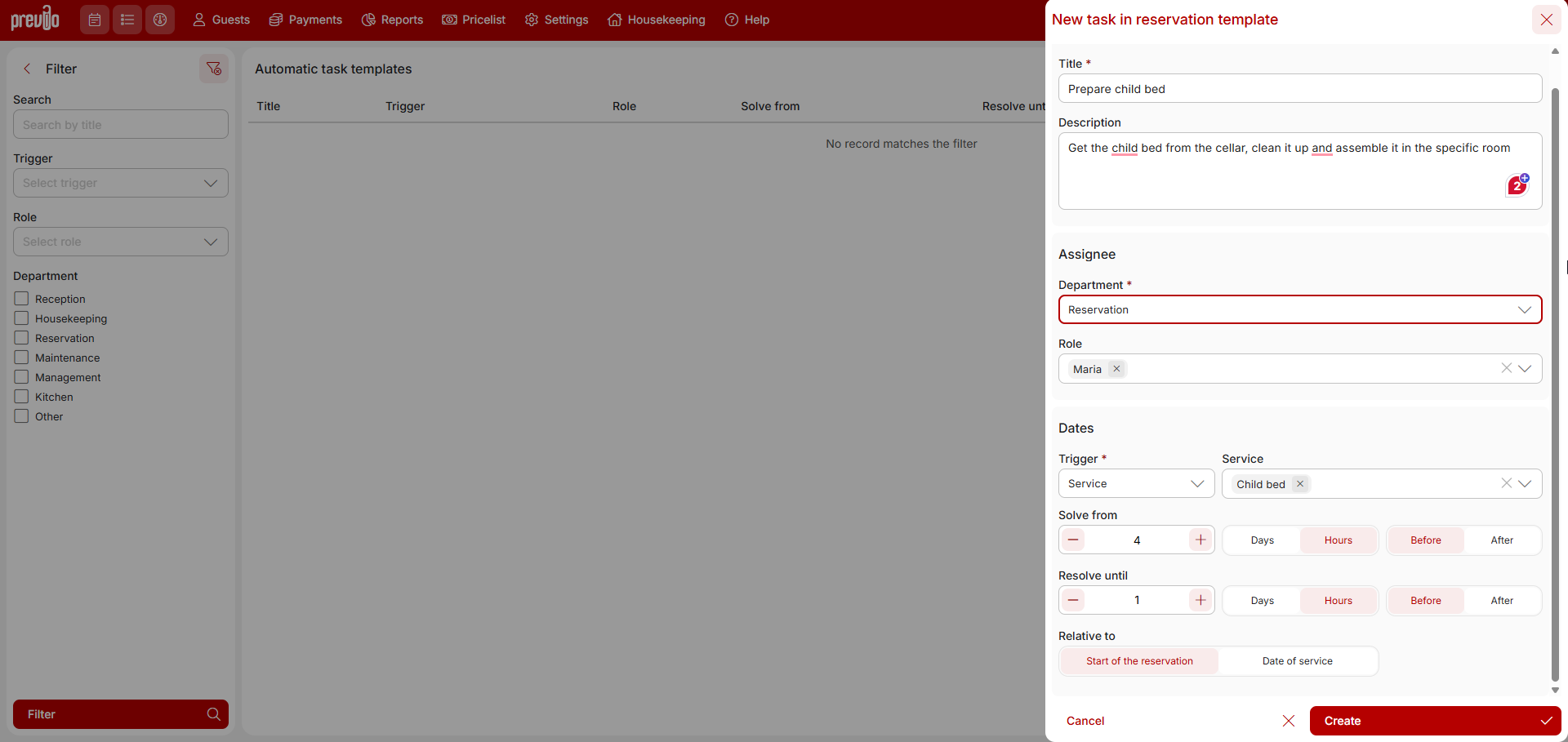
In the automatic tasks module, create a new automatic task to build a child bed and set when this task should be open for solving and when it should be solved. You can choose a certain number of hours or days before the start of the reservation/service, or after the start (specifically, in the case of a cot, you will rather use the option before the start of the reservation). Along with this setting, select to which user role (which can be assigned to multiple users) this task will be automatically assigned.
After that, everything will be fully automatic. That is, if the “child bed” service is added to the reservation account (manually, when booking a stay and service via R+ or via the Alfred app), a new task will be created for the corresponding user and assigned to the specific reservation.
After the automatic task is created its listed with the other (also non-automatic tasks) in Housekeeping /Tasks module.The display of the task in the notifications will then depend on the settings of the automatic task template, namely from when the task should be solved and by when it should be solved.