My connections
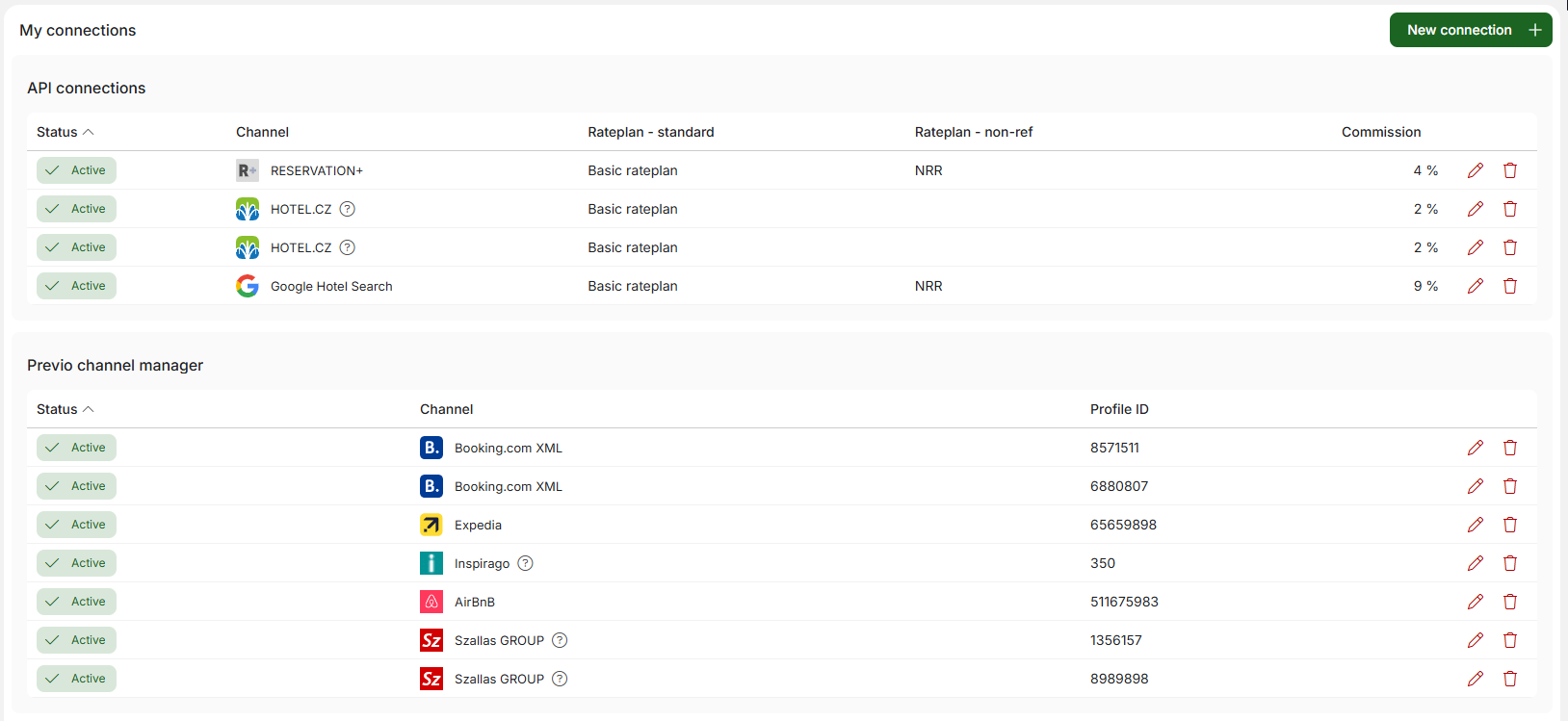
In this module, you will find a complete list of all online booking partners with whom your Previo profile is connected (or with whom a connection is being negotiated). The overview is divided into two sections: API connections (which may include RESERVATION+, GHS, or other Czech booking partners) and channel manager (which contains all the channels you have connected within this product—Booking.com, Airbnb, Expedia, etc.).
API connection
The settings in this section replace the original Reservation Systems module. Here you will find the commission value for the given distribution channel and the rate plan settings for the given partner. The standard rate plan is always filled in (and can be edited). The non-refundable rate plan is optional, so it is possible not to use non-refundable prices for specific partners.
Through the rate plan settings, you can easily differentiate prices on individual channels + through rate plans, you can of course also work with the available capacity for sale for specific channels.
Channel manager connection
In this section, you will see all active connections within the Channel Manager. Most of these will be foreign portals (such as Booking.com, Expedia, Airbnb, etc.), but domestic partners such as Amazing Places may also appear among the channels.
Within the channel manager section, we have expanded the options for managing your connections and made it easier for you to communicate with our channel manager team. Let’s take a closer look.
Clicking on the pencil icon for a specific channel will take you to the connection details. Here you will see a complete mapping, i.e., information about which rooms from Previo are connected to specific rooms on that channel. For each mapping row, you can also see which Previo rate plan is connected.
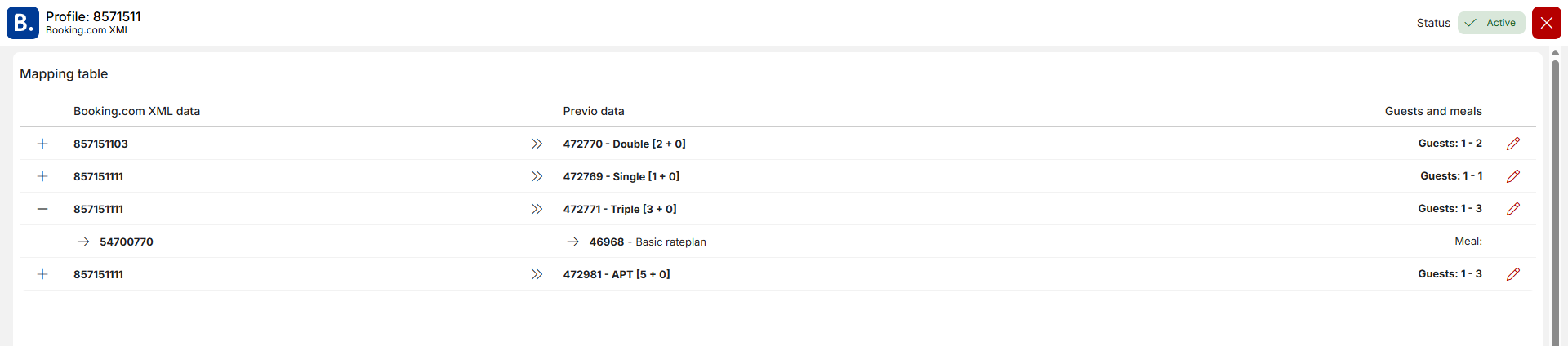
In the first phase, the list is only for information purposes and cannot be edited. In the future, we would like to make basic mapping adjustments available that users can do themselves without the help of our channel manager team.
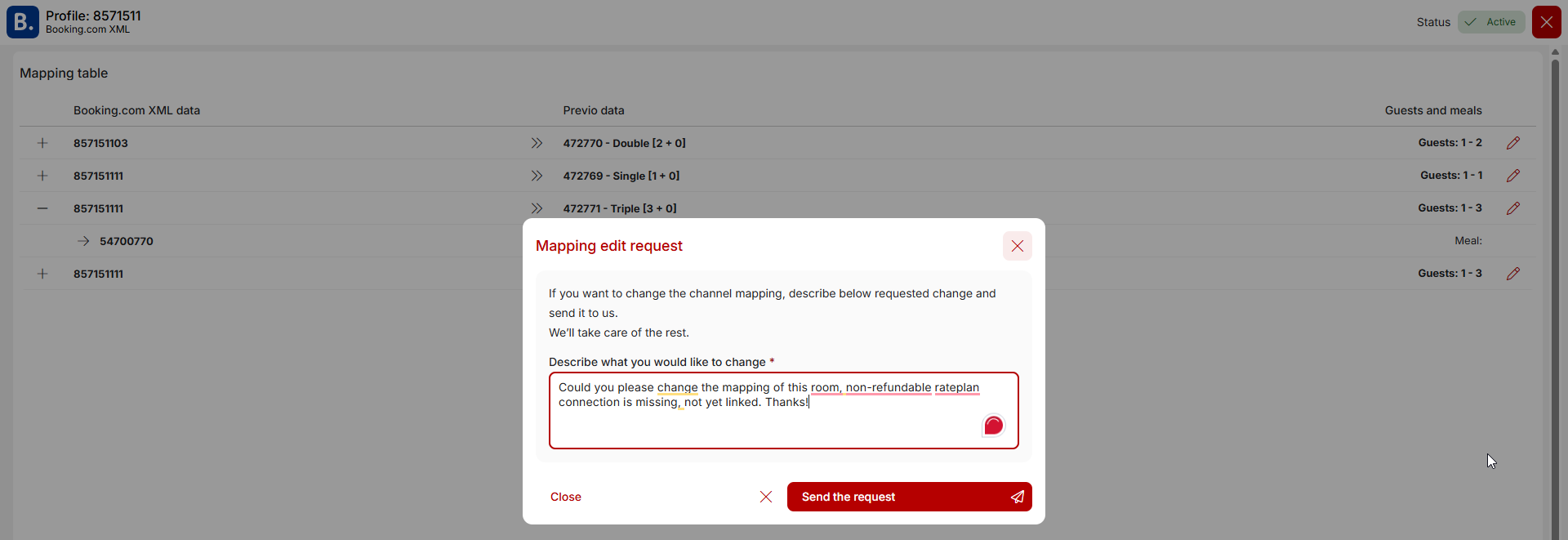
Next to each mapping row, there is a pencil icon that you can use to request a mapping change. This means that if you need to make any changes to the connection, you can send a message directly to our channel manager team. They will then have accurate information about what changes need to be made, and if anything is unclear, they can contact you directly to ask for clarification of your specific request.
New connection
At the top of the module, you will also find the New Connection+ button. This will redirect you to the Marketplace module, which is described in a separate article. In this module, you can request the connection of new booking channels and, if necessary, expand existing connections (e.g., request the connection of a new Booking.com profile for apartment operators).

Canceling existing connections
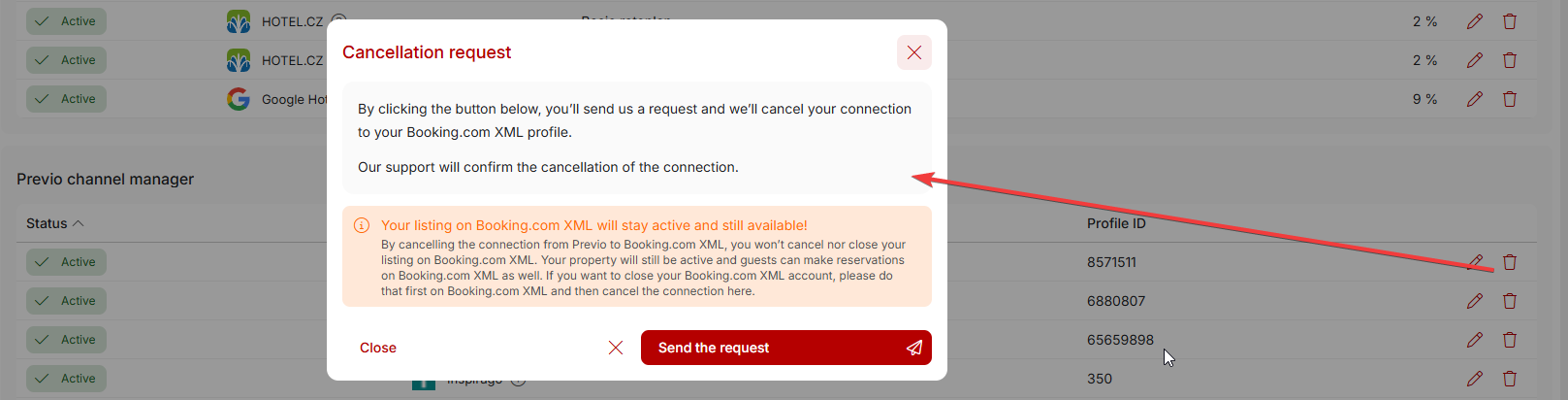
If, for any reason, you want to terminate your cooperation with a particular booking portal, you can send us a request to cancel the connection directly from the My Connections module by clicking on the trash can icon for the partner in question.
For most partners (primarily in the channel manager section), it is important to know that you must first cancel/deactivate your profile on the given portal and only then deactivate the connection on the Previo side. If the disconnection is done on our side first, we will stop sending price and occupancy data to the portal, but your profile on the portal will remain active without synchronization with Previo, which may result in overbooking.
The deactivation conditions for individual partners may vary slightly. Detailed information can always be found in the deactivation window for specific partner.